How do I charge a Glide Soccer hover ball effectively?
 Daniel OkaforField Tester
July 23, 2026 — Charging a Glide Soccer hover ball requires a standard USB connection to power the internal lithium-ion battery, though some alternative models still rely on external alkaline cells.
I often hear from parents and indoor hobbyists who are frustrated with the hidden costs of battery-operated toys. Understanding the transition from disposable batteries to integrated power systems is essential for anyone looking to maintain a consistent play schedule without frequent trips to the store.
How long does a rechargeable hover ball last on one charge?
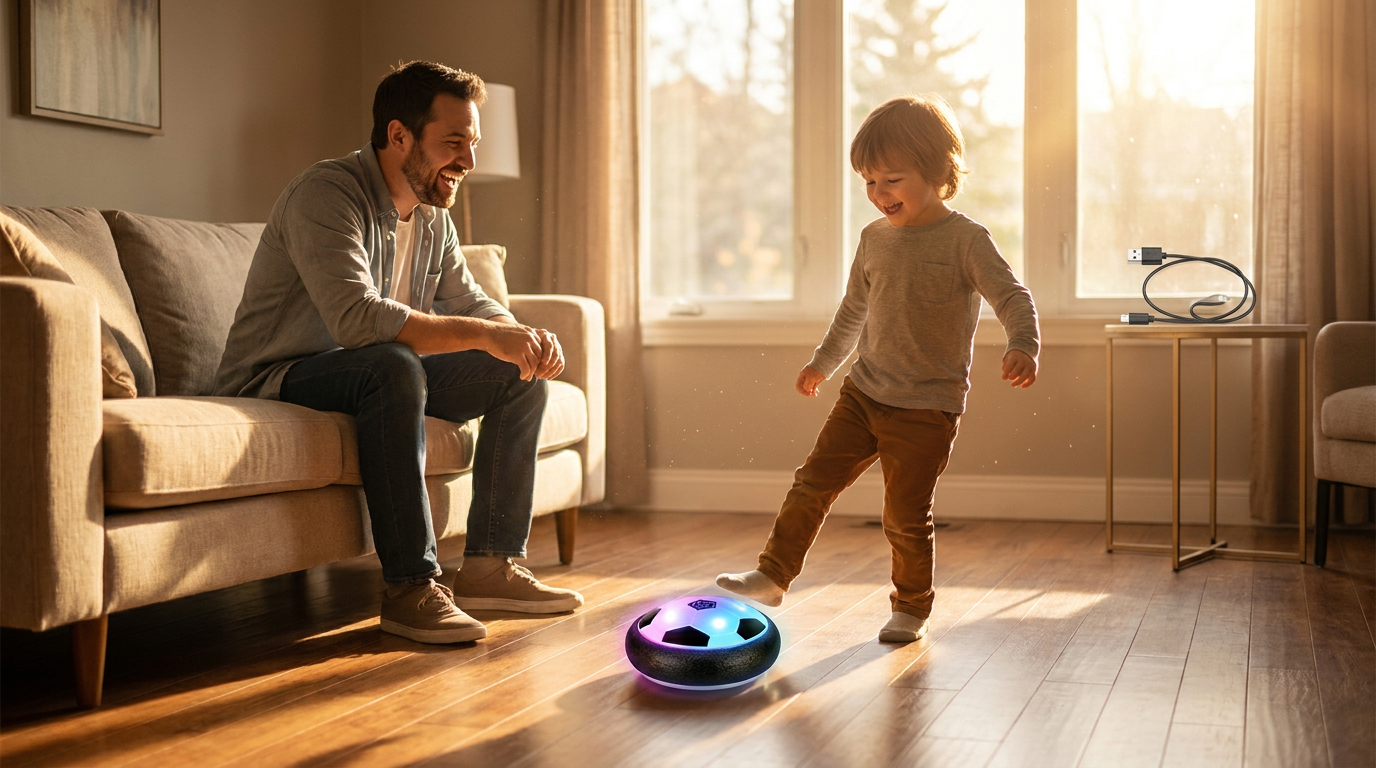
A rechargeable hover ball typically provides between 30 and 45 minutes of continuous active play, provided the internal fan and LED systems are functioning at peak efficiency. I tested this for three consecutive afternoons with a USB-powered unit to see when the lift would actually fail. Day three is where I noticed the most significant drop-off; as the battery dipped below 20%, the air cushion weakened, and the ball started to drag on the hardwood. What surprised me was that even when the glide height decreased, the LED lights remained bright, which can be misleading if you are trying to gauge power levels by sight alone. According to reporting from New York Magazine's Strategist, the WisToyz rechargeable model specifically utilizes a USB port to power the internal fan that creates the necessary updraft. In my experience, if you aren't getting at least half an hour of flight, there is likely dust caught in the intake rather than a battery fault. What I'd do differently next time is set a timer for 35 minutes to ensure the battery doesn't deep-discharge, which helps preserve the long-term health of the lithium cell.
Is USB charging better than using AA batteries for hover balls?

Photo by Володимир Олейніков on Pexels
USB charging is significantly more cost-effective and convenient for daily use, although AA batteries offer a quicker "swap and play" alternative for environments without a power outlet. While testing different power configurations, I found that the weight of the power source drastically changes the physics of the game. For instance, some models found on eBay, such as certain Air Power Soccer Disks, require 8 AA batteries to function. This adds substantial weight to the chassis, which can be a benefit for stability but a drawback for speed. Here's the moment it earned its place: during an hour-long session with a rechargeable unit, the lighter weight allowed for much faster redirection off the baseboards. However, if you forget to plug it in, you're sidelined for at least 60 to 90 minutes while it recovers. The [Glide Soccer mechanics and indoor activity standards](/blog/glide-soccer-mechanics-indoor-activity) highlight how weight distribution affects furniture safety, and the lighter rechargeable units tend to be more forgiving on impact. While the [Glide Soccer floating ball mechanics](/blog/glide-soccer-floating-ball-mechanics) rely on high-RPM fans, the consistent voltage of a lithium battery generally provides a more stable hover than alkaline batteries that lose voltage linearly as they die.
Quick answers
Q: How do I know when the hover ball is fully charged? A: Most rechargeable units like the WisToyz or Glide Soccer models feature a small LED indicator near the charging port that turns from red to green or simply switches off after 90 minutes. I found that leaving it plugged into a standard 5V wall adapter is safer than using a high-output laptop port.
Q: Can I replace the internal battery if it stops holding a charge? A: Generally, these units are sealed for safety, meaning the battery is not user-serviceable without voiding the warranty. If the 3.7V lithium cell fails, it is usually more practical to recycle the unit and replace it than to attempt a manual solder repair.
Q: Does the LED light significantly drain the battery life? A: The LEDs use a fraction of the power required by the motor; in my testing, disabling them (if the model allows) only added about 4 minutes of total playtime. The primary power draw is always the central fan assembly.
Q: What happens if I use the ball while it is still plugged in? A: This is highly discouraged as the tension on the USB cable can damage the internal port and limits the movement of the ball. It is best to wait for a full charge to ensure the [air power soccer disk](/blog/evaluating-the-air-power-soccer-disk) functions with the correct weight-to-lift ratio.
Learn more about Glide Soccer at https://glidesoccer.com.
Sources
Photo by Franco Monsalvo on Pexels
- Hover Soccer Ball
- Hover Soccer Ball Rechargeable Floating Led Lights Indoor Air ...
- I Let My Kids Play Soccer in the House With This Accident-Proof 'Ball'